
Introduction: The 7-Day Sprint to Google Cloud Digital Leader
Let’s be honest: in 2025, cloud literacy is no longer a “nice-to-have” for technical teams—it is the baseline requirement for modern business survival. Whether you are negotiating contracts in legal, driving campaigns in marketing, or managing pipelines in sales, the Google Cloud Digital Leader (CDL) certification has emerged as the single most valuable validator of your ability to speak the language of the future.
You are here because you have a deadline. Maybe your employer has mandated certification for a partnership tier, maybe you are pivoting your career, or maybe you simply want to prove you understand the mechanics behind the AI revolution. Whatever the reason, you do not have months to waste watching passive video lectures. You need a strategy that works, and you need it fast.
Welcome to the 7-Day Sprint.
The “One Week” Philosophy: Understanding vs. Memorization
The premise of passing this exam in one week often raises eyebrows. “Can I really learn a hyper-scaler platform like Google Cloud in seven days?”
The answer lies in understanding the exam’s intent. Unlike the Associate Cloud Engineer or Professional Architect exams, the Cloud Digital Leader assessment does not ask you to configure a Kubernetes cluster or debug a Python script. It asks you to understand business value and cloud economics.
Our “One Week” philosophy is built on a specific distinction: the difference between a mechanic and a driver.
- The Mechanic (Engineers): Needs to know torque specifications, gear ratios, and how to disassemble the engine.
- The Driver (Digital Leaders): Needs to know the rules of the road, how to navigate efficiently, fuel economy, and when to call the mechanic.
This guide is designed to make you an expert driver. To pass in one week, you must abandon the urge to memorize technical settings. Instead, you will focus on the vocabulary of cloud innovation. We will teach you to look at a Google Cloud service—like BigQuery or Compute Engine—and immediately associate it with a business problem it solves, rather than the technical API it uses.
Who This Guide Is For (and Why You Don’t Need to Code)
If the thought of a terminal window or a line of code sends a shiver down your spine, take a deep breath. Zero coding is required for this certification.
This 7-day sprint is specifically engineered for:
- Sales & Account Managers: Who need to articulate why a client should move from an on-premise server to the cloud without getting bogged down in technical jargon.
- Marketing Professionals: Who need to understand how data analytics and AI tools can personalize customer journeys.
- Project Managers & Scrum Masters: Who act as the bridge between stakeholders and engineering teams.
- Executive Leadership: Who make high-stakes decisions regarding Total Cost of Ownership (TCO) and capital expenditure (CapEx) vs. operational expenditure (OpEx).
- Entry-Level IT: Who are looking for that first “quick win” to build momentum for more technical certifications later.
We are going to strip away the complex architectural diagrams and replace them with clear, functional analogies. If you can understand the difference between renting an apartment (OpEx) and buying a house (CapEx), you already understand the core of cloud economics. If you understand the difference between a shared ride (Public Cloud) and a private car (Private Cloud), you are halfway to understanding infrastructure.
What to Expect in This 6,000-Word Guide
This is not a fluff piece containing generic advice like “study hard.” This is a battle plan. Over the next several sections, we are going to dismantle the exam domain by domain. We are moving beyond the official exam guide to give you the tactical edge required to pass on your first attempt.
Here is a high-level overview of the regimen we are about to undertake:
1. The Literal Hourly Schedule:
We will provide a granular, hour-by-hour breakdown for your next seven days. You will know exactly what to read at 9:00 AM on Day 3 and exactly which practice test to take at 2:00 PM on Day 6. This structure eliminates “decision fatigue”—you just follow the plan.
2. The “Business-First” Mindset:
We will decode Google’s trickiest questions. The exam loves to present scenarios where multiple technical answers are correct, but only one is the best business decision. We will teach you how to spot the keywords that change the answer from a technical solution to a business solution.
3. The “Do Not Study” List:
Efficiency is about what you ignore. We will explicitly tell you which topics are out of scope so you don’t waste precious hours studying deep CLI commands or networking subnets that will never appear on your screen.
4. The Day 0 Setup:
Before the clock starts, we will address the logistical nightmares that fail more candidates than the questions do: the Webassessor biometric profile, the system checks, and the remote proctoring environment.
The Cloud Digital Leader certification is your proof that you are ready for the digital age. It validates that you can sit at the table where cloud decisions are made and contribute meaningfully. The next seven days will be intense, they will be fast-paced, but they will be incredibly rewarding.
Clear your calendar, notify your stakeholders, and prepare your workspace. Your sprint starts now.
Understanding the Exam Blueprint: Domains, Weighting, and Scoring
Before you commit to a seven-day study sprint, you must understand exactly what you are walking into. The Google Cloud Digital Leader exam is not merely a vocabulary test; it is a validation of your ability to articulate the business value of Google Cloud capabilities. Unlike technical engineering exams that require you to configure load balancers or write CLI commands, this exam asks: “Which service solves this specific business problem most efficiently?”
To pass in one week, you cannot afford to study everything with equal intensity. You must apply the Pareto Principle (80/20 rule) based on the official exam blueprint. Below is a forensic breakdown of the four domains you will face, the scoring logic, and how this test compares to its competitors.
The Four Domains: Where to Spend Your Energy
Google breaks the exam down into four specific categories. Understanding the weighting is critical for your time management. For example, many beginners spend three days studying “Digital Transformation” concepts, only to realize it makes up a mere 10% of the actual questions. Don’t make that mistake.
1. Digital Transformation with Google Cloud (~10%)
This is the conceptual layer. While it carries the lowest weighting, these questions are often the easiest to miss if you don’t understand Google’s specific terminology regarding cloud adoption.
- Core Focus: Why move to the cloud? Understanding CapEx (Capital Expenditure) vs. OpEx (Operational Expenditure).
- Key Concepts: Total Cost of Ownership (TCO), the benefits of cloud-native architecture versus “lift and shift” migration strategies.
- The “Google” Angle: You need to recognize how Google Cloud fosters an innovation culture. Questions here often present a legacy business scenario and ask how cloud adoption changes their financial or operational model.
2. Innovating with Data and Google Cloud (~30%)
This is tied for the heaviest section and is often the differentiator between passing and failing. Google prides itself on being a data-first company, and the exam reflects this bias. You cannot pass this exam without a solid grasp of data analytics and machine learning.
- Core Focus: Distinguishing between unstructured, structured, and semi-structured data.
- Key Services: BigQuery (Data Warehouse), Looker (Business Intelligence), and the basic differences between AI and ML.
- The Trap: You will face questions asking you to choose between BigQuery, Cloud Bigtable, and Cloud SQL. You must know that BigQuery is almost always the answer when the question involves “serverless data warehousing” or “analytics.”
3. Infrastructure and Application Modernization (~30%)
This domain covers the nuts and bolts of the cloud: Compute, Storage, and Networking. However, remember the “Digital Leader” context—focus on use cases, not configuration.
- Core Focus: The spectrum of compute options. When do you use a Virtual Machine (Compute Engine) versus a Container (GKE) versus a Serverless function (Cloud Functions)?
- Key Concepts: App modernization (moving from monoliths to microservices) and API management (Apigee).
- Strategic Insight: A significant portion of this section focuses on Hybrid and Multi-cloud strategies. Google wants you to know about Anthos (now largely rebranded under Google Kubernetes Engine Enterprise), which allows businesses to manage workloads on AWS, Azure, and on-premise from a single pane of glass.
4. Google Cloud Security and Operations (~30%)
Security is “Job Zero” at Google. This section tests your understanding of how to keep the cloud environment safe and how to pay for it.
- Core Focus: The Shared Responsibility Model (what Google secures vs. what you secure).
- Key Services: Cloud Identity, IAM (Identity and Access Management), and Google Cloud Armor (DDoS protection).
- Billing & Management: Understanding Resource Hierarchy (Organization > Folder > Project) and how to control costs using Budgets and Alerts.
The Scoring System and Exam Format
The anxiety surrounding the scoring system often stems from Google’s lack of transparency compared to other vendors. Here is the reality of the testing environment:
- Question Format: You will face 50–60 questions. These are primarily Multiple Choice (select one correct answer) and Multiple Select (select two or more correct answers).
- Time Limit: You have 90 minutes. This is generous. Most well-prepared candidates finish in 45 to 60 minutes. This allows you ample time to “mark for review” any questions you are unsure about.
- Scoring Logic: Google does not publish a passing score (unlike AWS, which states 700/1000). However, the industry consensus is that you need approximately 70% to pass.
- The Result: You will not receive a numerical score at the end. You will simply see a screen that says “Pass” or “Fail.” A detailed score report is only provided if you fail, to help you identify weak domains.
- Result Timing: While you get a provisional result immediately on the screen, the official confirmation and digital badge usually arrive in your email within 7 to 10 days, though often as quickly as 24 hours.
Difficulty Comparison: GCP vs. AWS vs. Azure
For career switchers who may have looked at AWS Cloud Practitioner or Azure Fundamentals, context is vital. Is the Google Cloud Digital Leader harder? In many ways, yes, but for a specific reason.
| Feature | AWS Cloud Practitioner (CLF-C01) | Azure Fundamentals (AZ-900) | Google Cloud Digital Leader |
|---|---|---|---|
| Primary Focus | Memorizing service names and definitions. | Understanding the Microsoft ecosystem integration. | Business use cases and transformation capability. |
| Question Style | “What is the service for object storage?” | “Which tool manages Azure resources?” | “A retail company wants to modernize its inventory system to predict stock shortages. Which solution minimizes operational overhead?” |
| Difficulty Level | Low. Very definition-heavy. | Low/Medium. Broad scope. | Medium. Requires connecting technology to business outcomes. |
| Trick Factor | Low. Answers are usually obvious. | Medium. Microsoft naming can be confusing. | High. Google includes “distractor” answers that sound plausible but are not “Google best practices.” |
The Verdict: The Google Cloud Digital Leader exam requires less rote memorization of acronyms than AWS, but significantly more critical thinking regarding why a technology is chosen. You cannot simply memorize flashcards; you must understand the “Google Way” of solving problems—which prioritizes managed services, open-source compatibility, and data innovation.
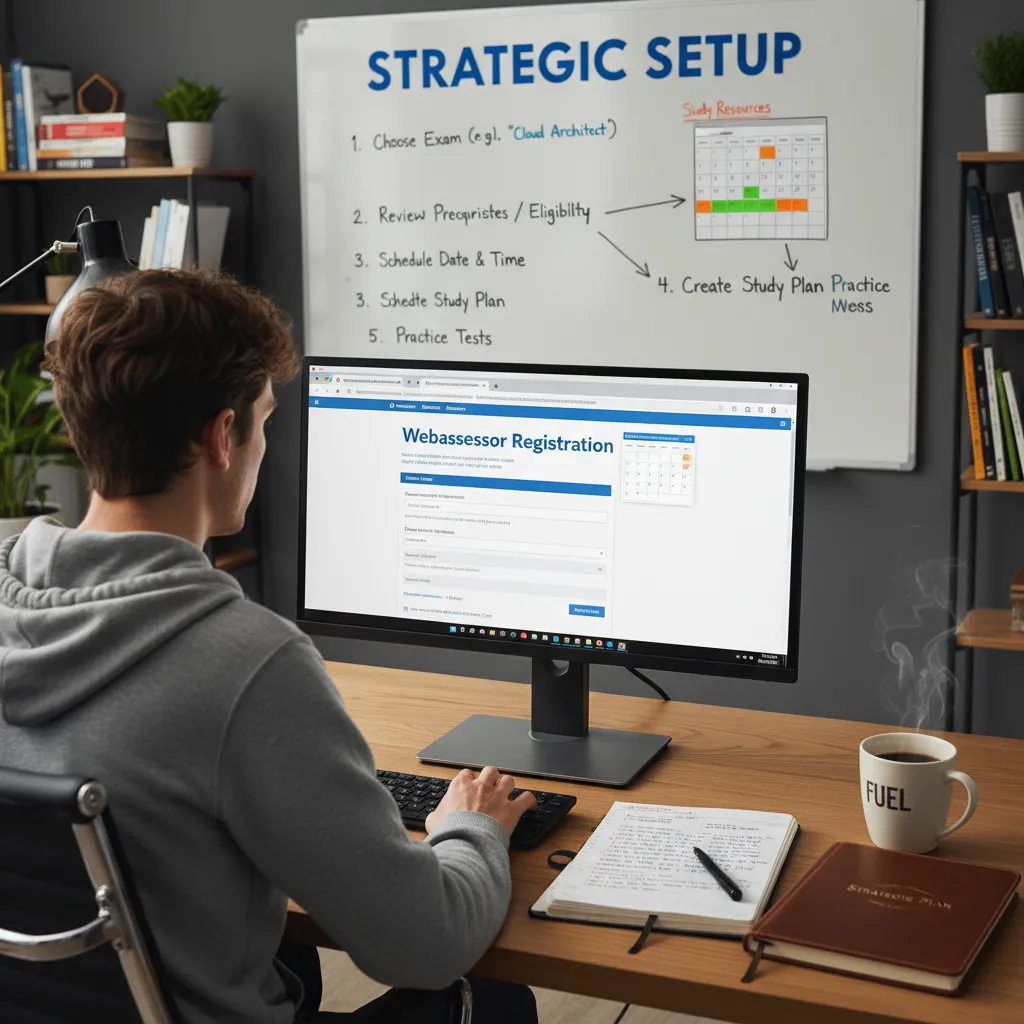
Day 0: Strategic Setup and the Webassessor Registration Process
Most candidates skip “Day 0” entirely. They dive straight into videos or random practice questions without a map, and typically, that is where the procrastination cycle begins. In this guide, we treat “Day 0” not as a study day, but as a logistical deployment. Before you learn a single definition of “infrastructure modernization” or “shared responsibility,” you must build the environment for success.
The goal of Day 0 is simple: eliminate friction for the next six days. When you sit down to study tomorrow, you should not be looking for links, wondering which guide is official, or stressing about whether your webcam works. We are going to lock in your commitment and prepare your digital workspace immediately.
The Forcing Function: Booking the Exam First
The single biggest predictor of failure for the Cloud Digital Leader certification isn’t a lack of technical knowledge; it is the lack of a deadline. The content is accessible enough that if you have infinite time, you will take infinite time. To pass in one week, you must create a “forcing function.”
Action Item: Go to the Google Cloud certification page immediately and book your exam for exactly seven days from today. Do not book it for “sometime next month.”
By paying the $99 registration fee upfront, you convert a vague intention into a tangible financial commitment. This psychological shift is critical. When you know you have a hard deadline in 168 hours, your brain switches from passive consumption to active retention.
Step-by-Step: The Webassessor Registration Process
Google Cloud does not host its own exams directly; they utilize a partner platform called Kryterion Webassessor. Navigating this can be confusing for first-timers because your standard Google Gmail login does not automatically create a Webassessor account.
- Create Your Profile: Navigate to the Google Cloud Webassessor portal. You will likely need to create a new account. Pro Tip: If you are taking this exam for your employer to gain partner status, ensure you use your corporate email address or link it later in the Google Cloud Certification support portal.
- Select the Exam: Search for “Cloud Digital Leader.” Be careful not to select the “Associate Cloud Engineer” by mistake, as the titles often appear adjacent in the catalog.
- Choose Your Modality: You will be presented with two options: Onsite Proctored or Remote Online Proctored.
Decision Point: Remote Proctoring vs. Onsite Testing centers
I have taken over a dozen cloud certifications, utilizing both methods. While remote testing offers convenience, it introduces technical liability. It is vital to weigh these options carefully for your Day 7 execution.
| Feature | Remote Online Proctored (Home) | Onsite Testing Center |
|---|---|---|
| Convenience | High. You test from your bedroom or office. No commute. | Low. Requires travel to a certified center. |
| Risk Factor | High Technical Risk. If your internet drops or the software crashes, your exam may be revoked. | Zero Technical Risk. If their internet fails, the center handles the ticket. You are not liable. |
| Environment | Requires a sterilized “Clean Desk.” No papers, no extra monitors, no people walking in. | Controlled environment provided for you. Pencil and paper provided. |
| Check-in Process | 20-30 minutes. Involves taking photos of your room and holding your ID to a webcam. | 5 minutes. Show ID at the front desk and walk in. |
My Recommendation: If you have a testing center within 30 minutes of your home, go to the center. It removes the anxiety of technical failure. If you must take it remotely, you need to perform the system check described below.
Technical Requirements: The Sentinel Software
If you choose remote proctoring, you must install the Kryterion Sentinel software. Do not wait until exam day to do this.
The Sentinel software creates a secure browser environment that locks down your computer. It prevents you from opening other tabs, using copy-paste functions, or accessing other applications. On Day 0, you must run the biometric enrollment:
- Biometrics: The system will create a facial profile using your webcam.
- Keystroke Analysis: You may be asked to type a specific phrase. The software analyzes your typing rhythm to verify your identity during the exam.
- Hardware Check: Ensure you are not on a corporate VPN or firewall that blocks the video stream. Corporate laptops are notorious for failing Sentinel checks due to background security agents (like Zscaler or CrowdStrike). If possible, use a personal computer for the remote exam.
The Resource Toolkit: What You Need on Your Desk
Before starting the study sprints, gather these three specific resources. We will reference them heavily throughout the 7-day plan.
1. The Official Exam Guide (The Map)
Bookmark the official Google Cloud Digital Leader exam guide. This is the source of truth. Many third-party courses are bloated with technical details you do not need (like how to configure a Kubernetes cluster via command line). We will use the official guide to filter out noise. If a topic isn’t on the exam guide, we ignore it.
2. Google Cloud Skills Boost (The Textbook)
Create an account on Google Cloud Skills Boost (formerly Qwiklabs). While we won’t rely on this exclusively because it can be dry, it is the only place to get the “official” definitions of Google’s business value propositions. The exam tests you on Google’s specific vocabulary, not just general cloud concepts.
3. High-Quality Third-Party Practice Exams (The Simulator)
This is where most candidates cheap out and fail. Do not rely solely on the 10-20 sample questions provided by Google. They are often easier than the real exam. You need to purchase a reputable practice test set (providers like Tutorials Dojo or specific highly-rated Udemy courses are standard). You need a bank of at least 150-200 questions to simulate the fatigue and question logic you will face on Day 7.
Once you have booked the date, installed the software, and gathered your toolkit, you have officially completed Day 0. You have removed the barriers. Now, get a good night’s sleep. Day 1 is about to begin, and we are diving straight into Digital Transformation.
Day 1: Mastering Digital Transformation and Cloud Fundamentals
Welcome to the first day of your seven-day sprint. Before we ever touch the Google Cloud Console or discuss virtual machines, we must recalibrate how you think about technology. The Google Cloud Digital Leader exam is unique because it is not a technical exam; it is a business exam disguised as a technical one. Today, we focus entirely on Domain 1: Digital Transformation with Google Cloud.
Your goal for Day 1 is to master the vocabulary of the cloud. When you sit for the exam, approximately 10-15% of the questions will ask you to identify why a business should move to the cloud, rather than how to do it. You need to stop thinking like an IT administrator and start thinking like a CTO (Chief Technology Officer).
Defining Digital Transformation
In the context of this exam, “Digital Transformation” is not just about digitizing paper records. It is the application of digital technology to fundamentally change how a business operates and delivers value to customers. Google Cloud emphasizes that transformation is driven by data.
For the exam, you must recognize that Google defines transformation through a specific lens:
- Innovation: Moving from maintaining infrastructure to creating new customer experiences.
- Culture: Shifting from a “fail-safe” (fear of failure) mentality to a “fail-fast” (experimentation) culture.
- Data Democratization: Breaking down silos so everyone in the organization can access data insights, not just the IT department.
The Financial Shift: CapEx vs. OpEx
This is arguably the most critical concept for Day 1. You will almost certainly see a scenario question asking you to justify the cost benefits of the cloud. The answer usually lies in the transition from Capital Expenditure to Operational Expenditure.
Capital Expenditure (CapEx)
CapEx represents the traditional on-premises model. A company spends a massive amount of money upfront to buy physical servers, cooling systems, and data center real estate. This is a high-risk model because you are guessing how much capacity you will need in three years.
- Exam Keyword Indicator: “Upfront investment,” “Depreciation,” “Physical assets,” “Long procurement cycles.”
- The Downside: If you over-provision (buy too much), you waste money on idle servers. If you under-provision (buy too little), your website crashes, and you lose customers.
Operational Expenditure (OpEx)
OpEx represents the cloud model. You pay only for what you use, when you use it. This shifts the cost from a financial investment to a monthly operating expense, similar to a utility bill like electricity or water.
- Exam Keyword Indicator: “Pay-as-you-go,” “Variable expense,” “TCO reduction,” “No upfront cost.”
- The Business Value: This frees up capital that can be used for innovation (hiring developers, marketing) rather than locking it into hardware that loses value over time.
The “X-as-a-Service” Service Models
The exam requires you to know exactly which responsibility falls on Google and which falls on you. This is defined by the service model. A helpful way to memorize this is by asking: “Who manages the Operating System?”
| Service Model | Definition | Real-World Example | When to Choose (Exam Scenario) |
|---|---|---|---|
| IaaS (Infrastructure as a Service) | Google provides the raw hardware (storage, network, servers). You manage the OS, software patches, and applications. | Google Compute Engine (GCE) | “Your company wants to migrate a legacy application to the cloud with minimal code changes and needs full control over the OS.” |
| PaaS (Platform as a Service) | Google manages the hardware AND the Operating System. You only manage your code and data. | Google App Engine, Cloud Run | “Developers want to focus on writing code and do not want to worry about server maintenance or security patches.” |
| SaaS (Software as a Service) | Google manages everything. You just use the software. | Google Workspace (Gmail, Docs), BigQuery | “The HR department needs a collaborative document tool that requires no installation or maintenance.” |
Understanding Cloud Characteristics: The “Why”
On the exam, you will encounter terms that look similar but have distinct meanings in the Google Cloud ecosystem. Mixing these up is the most common reason for failure on Domain 1.
Scalability vs. Elasticity
While often used interchangeably in casual conversation, they are different on the test.
- Scalability: The ability to increase workload capacity. If your website traffic grows, you add more RAM or more servers. This is about growth.
- Elasticity: The ability to scale up AND down automatically. This is the key differentiator. If traffic spikes on Black Friday, the system grows. When traffic drops on Tuesday, the system shrinks to save money. Elasticity is about efficiency.
High Availability vs. Fault Tolerance
- High Availability (HA): The system aims to remain operational and accessible for a high percentage of time (e.g., 99.99%). If a server fails, the user might experience a brief blip, but the service returns quickly.
- Fault Tolerance: The system continues to operate without any interruption when a component fails. This is much more expensive and complex to achieve than HA. For the Digital Leader exam, usually, the answer regarding reliability is “High Availability.”
The Cloud Maturity Scale
Google frames digital transformation as a journey. You should identify where a fictional company sits on this scale based on the exam scenario provided:
- Tactical (Cost Reduction): The company is just moving to the cloud to save money on data centers. They are likely doing a “Lift and Shift” (Rehosting).
- Strategic (IT Modernization): The company is starting to use cloud-native tools like Containers (Kubernetes) and Managed Services to increase developer velocity.
- Transformational (Innovation): The company is using AI, Machine Learning, and Big Data to invent new business models. This is the ultimate goal of Google Cloud adoption.
Day 1 Study Checklist
Before moving to Day 2, ensure you can confidently answer the following questions:
- Can I explain why a CFO would prefer OpEx over CapEx?
- Can I distinguish between IaaS, PaaS, and SaaS if given a specific Google product (e.g., Is BigQuery SaaS or PaaS? Answer: It is serverless, effectively SaaS for data analytics).
- Do I understand that the “Cloud” is not just about servers, but about agility and data?
Once you have grasped these fundamentals, you are ready to move into the technical architecture. Tomorrow, on Day 2, we will dive into the specific Google Cloud products that make this transformation possible, starting with the Resource Hierarchy.
Day 2: Global Infrastructure and the Power of Scaling
Now that you have grasped the fundamental definition of cloud computing from Day 1, Day 2 is where we map those concepts to the physical world. For the Cloud Digital Leader exam, understanding Google’s global infrastructure isn’t about memorizing the location of every data center; it is about understanding latency, reliability, and data sovereignty.
Google Cloud does not exist in the “ether.” It exists on racks of servers in massive, secured facilities connected by fiber optic cables. On the exam, you will face scenario-based questions asking you to choose a deployment strategy based on a customer’s need for speed versus their need for disaster recovery. Here is how to master this domain.
The Hierarchy: Regions, Zones, and Multi-Regions
To pass the exam, you must understand the strict hierarchy of Google’s physical footprint. If you confuse a “Zone” with a “Region,” you will likely fail the infrastructure section.
- Regions: Think of a Region as a specific geographical area, such as “us-central1” (Iowa) or “europe-west2” (London). A region is a collection of zones. You choose a region based on where your customers are (to reduce lag) or where your legal department tells you to keep data (compliance).
- Zones: Zones are deployment areas within a region. Think of these as distinct, isolated data centers (or clusters of them) within that city. For example, “us-central1-a” and “us-central1-b” are in the same region but have separate power, cooling, and networking. If lightning strikes Zone A, Zone B continues running.
- Multi-Region: This involves deploying services across large geographic areas, such as “US” (all United States) or “EU” (European Union). This is generally used for storage solutions (like Cloud Storage) where you need maximum redundancy.
Exam Scenario Tip: If a question asks how to protect an application against a natural disaster that wipes out a whole city, the answer is a Multi-Regional deployment. If the question asks how to protect against a single hardware failure or power outage while keeping costs lower, the answer is a Multi-Zonal deployment.
The Business Requirements: Latency vs. High Availability
The Cloud Digital Leader exam tests your ability to translate technical specs into business value. You will see the terms “Low Latency” and “High Availability” repeatedly.
1. Low Latency (The Speed Requirement)
Latency is the delay before a transfer of data begins following an instruction. In business terms: lag. If your customers are in Tokyo, but your servers are in Virginia, the data has to travel halfway around the world. This creates high latency, leading to slow app performance and frustrated users.
Business value: Selecting a Region close to your end-users reduces latency. This improves user experience (UX) and conversion rates.
2. High Availability (The Uptime Requirement)
High Availability (HA) refers to systems that are durable and likely to operate continuously without failure for a long time. Google measures this in “nines.” For example, 99.99% availability.
Business value: HA is achieved by redundancy. By deploying your application across multiple Zones, you ensure that if one zone fails, the business keeps running. The exam treats HA as a risk management strategy.
The Secret Weapon: Google’s Private Network
This is a specific differentiator you need to know. Unlike some competitors that rely heavily on the public internet to move data between regions, Google owns one of the largest private fiber-optic networks in the world.
When a user accesses your application, their request enters Google’s network at the closest “Point of Presence” (PoP) (often in their own city) and rides Google’s private backbone to the destination. This is faster and more secure than hopping across public ISPs.
What to remember for the test: If a question asks about the benefits of Google’s network, look for answers involving security (data stays on the private network), performance (optimized routing), and cost (simplified pricing models).
Elasticity: Scaling Up vs. Scaling Out
Perhaps the most critical concept for Day 2 is Elasticity. This is the ability of the system to grow or shrink based on demand. Traditional on-premise data centers are rigid; the cloud is elastic. However, you must distinguish between the two types of scaling.
| Scaling Type | Technical Term | Analogy & Business Use Case |
|---|---|---|
| Scaling Up | Vertical Scaling |
The Analogy: Making a single car faster by putting a bigger engine in it. You add more RAM or CPU to an existing virtual machine. The Limit: Eventually, the car can’t handle a bigger engine. You hit a hardware ceiling. This usually requires a restart (downtime). |
| Scaling Out | Horizontal Scaling |
The Analogy: Buying more cars to carry more people. You add more virtual machines to the fleet. The Benefit: This is the “Cloud Native” way. It offers theoretically infinite capacity and requires no downtime. Google manages this via “Managed Instance Groups.” |
Real-World Exam Scenario: The “Black Friday” Retailer
You will likely encounter a question like this: “A retail company expects traffic to triple during a holiday sale but drop back to normal afterward. They want to ensure performance without paying for idle servers later. What cloud characteristic addresses this?”
The answer is Elasticity (specifically horizontal scaling). In a traditional data center, the retailer would have to buy enough servers for peak traffic (Black Friday), leaving those servers sitting idle and wasting money for the other 364 days of the year. In Google Cloud, the system automatically adds servers (scales out) as traffic spikes and deletes them (scales in) when traffic drops. The business only pays for the minutes those extra servers were used.
Day 2 Summary Checklist:
1. Regions are geographic; Zones are isolated locations within Regions.
2. Multi-Zone = High Availability; Multi-Region = Disaster Recovery.
3. Latency is about speed (User Experience); Availability is about uptime (Reliability).
4. Scaling Out (Horizontal) is generally preferred over Scaling Up (Vertical) for modern cloud applications.
Day 3: Innovation Through Data, AI, and Machine Learning
Welcome to the pivot point of your study week. If Days 1 and 2 were about building the foundation and the walls, Day 3 is about installing the electricity.
For the Cloud Digital Leader exam, the “Innovation through Data and AI” domain carries significant weight (roughly 30% of the exam). This is often the most intimidating section for non-technical professionals because it throws around terms like machine learning pipelines and unstructured blobs. However, you do not need to be a Data Scientist to pass. You simply need to act as the bridge between business problems and Google’s data solutions.
Your goal today is to understand the flow of data: Ingest → Store → Analyze → Predict.
1. The Foundation: Structured vs. Unstructured Data
Before you can select a tool, you must identify the data type. The exam will present scenarios describing a specific dataset, and your answer depends entirely on whether that data fits into a neat table or not.
| Feature | Structured Data | Unstructured Data |
|---|---|---|
| Definition | Highly organized information that fits into fixed fields (rows and columns). | Information that does not have a pre-defined data model or organization. |
| Examples | Credit card numbers, inventory lists, customer names, SQL databases. | PDFs, JPEGs, audio files, emails, social media posts, videos. |
| Primary GCP Tool | Cloud SQL, Cloud Spanner, BigQuery. | Cloud Storage. |
2. Cloud Storage: The “Swiss Army Knife” of the Cloud
If you remember nothing else about storage today, remember this: Cloud Storage is for objects (unstructured data). It is not a database. It is a bucket where you throw files.
In the Digital Leader exam, Cloud Storage is the answer whenever the prompt mentions storing images, backups, videos, or “immutable blobs.” However, Google will test your ability to optimize costs by choosing the right Storage Class. You need to map the business requirement to the class:
- Standard Storage: “Hot” data. Accessed frequently (e.g., website images, streaming videos). Highest storage cost, lowest retrieval cost.
- Nearline Storage: Data accessed once a month. Good for monthly reports or short-term backups.
- Coldline Storage: Data accessed once a quarter (90 days). Ideal for disaster recovery.
- Archive Storage: “Coldest” data. Accessed less than once a year. Ideal for long-term regulatory compliance (e.g., keeping tax records for 7 years). Lowest storage cost, highest retrieval cost.
Exam Tip: If a question asks how to save money on data that is legally required to be kept for 10 years but will likely never be looked at again, the answer is Archive Storage.
3. BigQuery: The Serverless Data Warehouse
BigQuery is Google Cloud’s crown jewel for data analytics. It allows you to run SQL queries on massive datasets (petabytes) in seconds. For the exam, you must associate BigQuery with three specific keywords:
- Serverless: You do not manage infrastructure. You don’t provision servers. You just upload data and run queries.
- Data Warehouse: It is designed for analytics (OLAP), not for processing transactions (OLTP). If the scenario is “analyzing historical sales data for trends,” choose BigQuery. If the scenario is “processing a credit card swipe,” do NOT choose BigQuery (choose Cloud SQL).
- Business Agility: It separates storage from compute, meaning you can store vast amounts of data cheaply and only pay for the heavy processing power when you actually run a query.
4. Pub/Sub: Decoupling and Messaging
Imagine a pizza shop. If the chef has to stop making pizzas every time the phone rings to take an order, the kitchen slows down. Instead, you put a waiter in the middle. The waiter takes the order (Message) and pins it to the ticket rail (Topic). The chef grabs the ticket when they are ready (Subscription).
Cloud Pub/Sub acts as that buffer. It allows services to communicate asynchronously. It is used for streaming analytics and data ingestion.
Real-World Scenario: Thousands of IoT sensors on shipping trucks are sending temperature data every second. You cannot write this directly to a database or it will crash. You send it to Pub/Sub first, which holds the data until BigQuery is ready to ingest it.
5. The AI & Machine Learning Decision Tree
This is the section where most students get confused. Google offers a spectrum of AI tools ranging from “done for you” to “do it yourself.” The exam tests your ability to choose the tool that requires the least amount of effort to solve the business problem.
Visualize this as a decision tree. When you see an AI problem on the exam, ask these questions in order:
Level 1: Pre-Trained APIs (The “No Code” Solution)
Does a model already exist for this? If the business problem is common (recognizing a cat in a photo, translating text, converting speech to text), use a Pre-trained API. You do not need a data scientist for this.
- Vision API: Reads text from images (OCR), detects faces, identifies landmarks, filters explicit content.
- Natural Language API: Sentiment analysis (is the customer angry?), entity extraction.
- Translation API: Translates text between languages.
- Speech-to-Text / Text-to-Speech: Audio conversion.
Exam Trigger: “A company wants to automatically tag images uploaded by users without hiring a machine learning team.” → Vision API.
Level 2: Vertex AI AutoML (The “Custom Data, Low Code” Solution)
What if the pre-trained API doesn’t work? For example, the Vision API knows what a “shoe” looks like, but it doesn’t know the specific difference between your brand’s 2024 sneaker and the 2023 sneaker.
This is where AutoML (now part of the Vertex AI platform) shines. You provide your own specific data (e.g., photos of your sneakers), and Google trains a custom model for you automatically. You still do not need to write complex code.
Exam Trigger: “A manufacturing company wants to identify defects in their specific car parts. They have photos of the defects but no machine learning expertise.” → Vertex AI (AutoML).
Level 3: Vertex AI Custom Training (The “Pro” Solution)
This is for the data scientists. If the problem is highly complex, unique, and requires total control over the algorithm (e.g., TensorFlow, PyTorch), you use Vertex AI for custom training.
Exam Trigger: “A team of data scientists needs a managed platform to build, deploy, and scale their own TensorFlow models.” → Vertex AI.
Day 3 Summary Checklist
Before moving to Day 4, ensure you can answer the following:
- Can I explain why I would choose BigQuery over Cloud Storage for analytics?
- Do I understand that Pub/Sub is for buffering messages between systems?
- Can I distinguish when to use the Vision API versus training a custom model in Vertex AI?
- Do I know which storage class to use for data that is accessed once a year?
Day 4: Modernizing Infrastructure and Applications
Welcome to Day 4. We have reached the technical heart of the Google Cloud Digital Leader exam. If you felt that the previous days were abstract, today we get concrete. This domain accounts for roughly 30% of your exam questions, making it arguably the most critical section to master.
For a non-technical leader, “Modernizing Infrastructure” can sound intimidating. However, the exam does not require you to know how to write a Dockerfile or configure a firewall rule. Instead, Google wants to know if you can identify the business value of different compute options. Your goal today is to understand the trade-offs between control and convenience.
The Compute Spectrum: Virtual Machines vs. Containers vs. Serverless
The most common scenario-based questions you will encounter involve choosing the right environment for an application. You must visualize this as a spectrum of responsibility.
1. Compute Engine (Virtual Machines)
Think of Compute Engine as renting a house. You get the keys, but you are responsible for furnishing it, cleaning it, and paying the utilities. In cloud terms, Google gives you the hardware (Infrastructure as a Service, or IaaS), but you must manage the Operating System (OS), install software updates, and apply security patches.
When to choose this on the exam:
- The scenario mentions “migrating a legacy application” that cannot be modified.
- The client needs “full control” over the operating system or kernel.
- The keywords “Lift and Shift” are used (moving an app from on-premise to cloud without code changes).
2. Google Kubernetes Engine (GKE) & Containers
Containers wrap your application code with all its dependencies into a standard package. Google Kubernetes Engine (GKE) is the platform that manages these containers at scale. Think of this like a shipping container system. It doesn’t matter what is inside the container (clothes, electronics, or car parts); the shipping crane handles them all the same way. This standardization allows you to move applications easily between environments.
When to choose this on the exam:
- The scenario asks for “portability” or avoiding vendor lock-in.
- The organization wants to break a monolithic application into “microservices.”
- There is a need to orchestrate complex workloads efficiently.
3. Serverless (Cloud Run & Cloud Functions)
Serverless is like staying in a hotel. You don’t clean the room, you don’t fix the plumbing, and you only pay for the nights you stay. You simply focus on your objective (sleeping/working). In Google Cloud, you hand over your code, and Google handles 100% of the infrastructure scaling and maintenance.
- Cloud Run: You give Google a container, and it runs it serverlessly. Excellent for web applications.
- Cloud Functions: You write a small snippet of code (a function) that triggers based on an event (e.g., “run this code every time a file is uploaded to Cloud Storage”).
When to choose this on the exam:
- The scenario emphasizes “No Ops” or “Zero maintenance overhead.”
- The goal is to pay only when the code is running (cost optimization for sporadic traffic).
- The application is “event-driven.”
| Feature | Compute Engine (VM) | GKE (Containers) | Cloud Run (Serverless) |
|---|---|---|---|
| Control Level | High (Full OS access) | Medium (Cluster management) | Low (Focus on code only) |
| Management Overhead | High (Patching, updates) | Medium | Zero (No Ops) |
| Primary Use Case | Legacy apps, Lift & Shift | Microservices, Portability | Web apps, APIs, Event triggers |
The “Lift and Shift” vs. “Refactoring” Dilemma
A significant portion of this domain tests your ability to recommend a migration path. You don’t need to know the technical steps, but you must understand the business implication of each strategy.
1. Lift and Shift (Rehosting): This means taking your Virtual Machines from your on-premise data center and moving them directly to Compute Engine.
- Pros: Fastest migration path; lowest initial risk of code breaking.
- Cons: You don’t gain the benefits of the cloud (like auto-scaling or managed services). It is often more expensive in the long run because you are still paying to run VMs 24/7.
2. Refactoring (Modernizing): This involves rewriting parts of the application to use cloud-native technologies like Cloud Spanner, BigQuery, or Cloud Run.
- Pros: High agility, lower long-term operational costs, better scalability.
- Cons: High upfront cost; takes longer to migrate; requires developer talent.
Exam Tip: If a question asks for the “fastest” way to migrate with “minimal code changes,” the answer is almost always Lift and Shift to Compute Engine. If the question asks for “long-term cost optimization” or “increased agility,” the answer is Refactoring to Containers or Serverless.
Hybrid and Multi-Cloud Strategy: Enter Anthos
Finally, we must discuss Anthos. If you see the words “Hybrid Cloud,” “Multi-cloud,” or “Consistent policy management across environments” on the exam, the answer is Anthos.
Many businesses cannot move everything to the cloud immediately due to compliance laws or data sovereignty. They need a Hybrid approach (keeping some data on-premise and some in the cloud). Others want to use Google Cloud alongside AWS or Azure; this is Multi-cloud.
Anthos allows you to manage all these environments from a single “pane of glass” (the Google Cloud Console). It lets you write an application once and deploy it anywhere—on Google Cloud, on AWS, or in your local data center.
Day 4 Summary Checklist:
- Can you explain why a business would choose GKE over Compute Engine? (Scalability/Portability vs. Control).
- Do you know the difference between Cloud Run (Containerized serverless) and Cloud Functions (Code snippets)?
- Do you understand that Anthos is the tool for Hybrid/Multi-cloud management?
Day 5: Cloud Security, Identity, and the Shared Responsibility Model
Welcome to Day 5. If there is one domain that serves as the absolute “make or break” factor for the Google Cloud Digital Leader exam, it is Security and Operations. This section accounts for approximately 30% of the exam questions, but more importantly, it represents the primary concern for any business leader migrating to the cloud.
Today, we move away from “what serves does what” and focus on “how do we trust it.” You do not need to be a cybersecurity expert to pass this section, but you must understand the philosophical boundary between what Google secures and what you must secure.
The Shared Responsibility Model: The Exam’s Core Concept
The single most tested concept in cloud security is the Shared Responsibility Model. In an on-premises data center, you are responsible for everything—from the physical lock on the door to the encryption of the database. In the cloud, this burden is split.
For the exam, you must memorize the division of labor. Google is responsible for the security OF the cloud, while the customer is responsible for security IN the cloud.
| Layer | Who is Responsible? | Exam Examples |
|---|---|---|
| Hardware & Infrastructure | 100% Google | Physical security of data centers, replacing failed hard drives, securing fiber optic cables, specialized security chips (Titan). |
| Software (IaaS) | Mostly Customer | If you use Compute Engine (IaaS), you must patch the Operating System (OS) and configure the firewall. |
| Software (PaaS/SaaS) | Mostly Google | If you use App Engine or Gmail, Google patches the OS. You just manage your data. |
| Data & Access | 100% Customer | Deciding who can view a file, setting IAM roles, encrypting data with customer-managed keys (CMEK). |
Crucial Exam Distinction: The exam will present a scenario and ask who is responsible. For example: “A company deploys an application on Compute Engine. Who is responsible for installing security patches on the Virtual Machine’s operating system?” The answer is the Customer. However, if the question asks about App Engine (PaaS), Google handles the OS patching.
Cloud IAM: Who, Can Do What, On Which Resource
Identity and Access Management (IAM) is the gatekeeper of Google Cloud. To answer IAM questions correctly, you must visualize a specific sentence structure that Google uses to define access policies:
“WHO can do WHAT on which RESOURCE.”
Let’s break down the three pillars of this statement as they appear on the test:
1. The “Who” (Principals)
In Google Cloud terminology, an identity is often called a Principal. This can be:
- Google Account: A specific person (e.g., alice@gmail.com).
- Service Account: A non-human account used by applications to talk to other Google services (e.g., a VM needing to write data to a storage bucket).
- Google Group: A collection of users.
Pro Tip for the Exam: If a question asks for the “Best Practice” regarding managing permissions for a team of 50 people, the answer is almost always Google Groups. Never assign permissions to 50 individual users one by one; assign the permission to the Group, and add users to that Group.
2. The “Can Do What” (Roles)
You cannot assign permissions directly to users in GCP; you assign Roles. A Role is a bundle of permissions.
- Basic Roles (Primitive): Owner, Editor, Viewer. Avoid using these in production scenarios on the exam. They are too broad.
- Predefined Roles: Granular roles created by Google (e.g., Storage Object Creator). This allows a user to upload a file but not delete one. This is usually the correct answer for “operational efficiency.”
- Custom Roles: You pick specific API permissions. Use this only when Predefined Roles don’t meet strict compliance needs.
3. The “On Which Resource” (Policies)
This brings us to the concept of the Principle of Least Privilege. This is a recurring keyword. It means giving a user only the access they need to do their job, and nothing more. If a question asks how to secure an environment, look for the answer that mentions “Least Privilege.”
The Resource Hierarchy
Understanding how permissions flow down is vital. Google Cloud organizes resources similarly to a file system on your computer. Policies are inherited from the top down.
- Organization Node (Root): Represents the company. Policies set here apply to everything.
- Folders: Used to map to business departments (e.g., “HR Dept,” “Dev Team”). They help isolate environments.
- Projects: The most important layer. Projects are the trust boundary and the billing entity. Every resource (VM, Database) must belong to a project.
- Resources: The actual services (Compute Engine VM, Cloud Storage Bucket).
Scenario: If you grant “Storage Admin” rights to a user at the Folder level, that user automatically has Storage Admin rights for every Project and every Bucket inside that folder. You cannot restrict it lower down. This is why you must be careful with high-level permissions.
Critical Security Tools for Business Context
The Digital Leader exam focuses on business value. You don’t need to know how to configure a firewall via command line, but you must know which tool solves which business problem. Memorize these four mappings:
- Google Cloud Armor: Think “Shield.” This is the Web Application Firewall (WAF) and DDoS protection.
Exam Trigger: “Your company is suffering from a DDoS attack” or “You need to block SQL injection attacks.” -> Answer: Cloud Armor. - VPC Service Controls: Think “Invisible Perimeter.” This creates a security boundary around your Google services (like BigQuery or Cloud Storage) to prevent data exfiltration.
Exam Trigger: “You need to ensure data cannot be copied out of your project to a personal Gmail account.” -> Answer: VPC Service Controls. - Security Command Center (SCC): Think “Dashboard.” This is the centralized monitoring tool that scans for vulnerabilities and misconfigurations.
Exam Trigger: “You need a single pane of glass to view security risks across the organization.” -> Answer: Security Command Center. - Identity-Aware Proxy (IAP): Think “VPN Replacement.” It allows your employees to access internal apps from home without a VPN, verifying their identity first.
Exam Trigger: “Zero Trust access model for remote workers.” -> Answer: IAP.
Day 5 Summary & Action Item
Today’s study session is about vocabulary association. Google wants to know that you understand the difference between Authentication (verifying who you are) and Authorization (verifying what you can do).
Your Task for Tonight: Log into the Google Cloud Console (using the free tier). Navigate to the IAM & Admin section. Click “Add,” type in a fake email, and just browse the list of Predefined Roles. Seeing the difference between “Compute Admin” and “Compute Network Viewer” will make the abstract concepts concrete.
Day 6: Financial Governance and Operational Excellence
By Day 6, you have mastered the infrastructure and the data strategies. Now, we arrive at the topic that matters most to the stakeholders you will report to: The Money. For a Digital Leader, understanding the technical specifications of a Virtual Machine is secondary to understanding how to control its cost.
The Google Cloud Digital Leader exam places a disproportionately high weight on financial governance. Google wants to ensure that certified leaders understand that the cloud is not just a technology switch—it is a financial model shift. Today, we focus on Total Cost of Ownership (TCO), billing management, and the operational frameworks that keep a cloud environment healthy and budget-compliant.
The Financial Shift: CapEx vs. OpEx
Before diving into specific tools, you must internalize the fundamental shift in accounting that the exam tests heavily. Traditional on-premise IT relies on Capital Expenditure (CapEx). This involves large, upfront investments in hardware, cooling, and data centers that depreciate over time. You pay for capacity you might need in three years.
Google Cloud operates on Operational Expenditure (OpEx). You pay for what you use, when you use it. This model eliminates the need for upfront forecasting and reduces the risk of over-provisioning. On the exam, if you see a scenario asking how a startup can compete with an enterprise without capital, the answer almost always points to the Pay-as-you-go nature of the OpEx model.
The Google Cloud Pricing Toolkit
You will face questions asking you to select the correct tool for a specific stage of the billing lifecycle. Do not confuse the estimation phase with the management phase. Here is the definitive breakdown you need to memorize:
| Tool Name | Lifecycle Stage | Primary Function (Exam Keywords) |
|---|---|---|
| Google Cloud Pricing Calculator | Pre-Migration / Planning | Used to estimate costs before resources are created. You input parameters (e.g., “I need 10 VMs and 5TB of storage”) to generate a quote. |
| Cloud Billing Reports | Ongoing Operations | Used to visualize current spend. Allows you to filter costs by Project, Product, or Label (e.g., “Show me costs for the Marketing Department”). |
| Budgets & Alerts | Governance / Control | Used to monitor spending thresholds. Crucial Exam Note: Budgets send notifications (emails/PubSub); they do NOT automatically stop services or shut down VMs. |
| Cost Management (Export) | Deep Analysis | Exporting billing data to BigQuery for detailed, granular analysis using SQL. |
Cost Optimization Strategies
The Digital Leader exam tests your ability to match a business scenario with the correct discount type. You cannot simply choose the “cheapest” option; you must choose the option that fits the availability requirements of the workload.
1. Committed Use Discounts (CUDs)
This is for predictable, steady-state workloads. If a company knows they will need a database running 24/7 for the next year, they should use CUDs. You commit to a 1-year or 3-year contract in exchange for a significant discount (up to 57% or 70%).
- Scenario: “A finance company has a core banking application that must run continuously without interruption. They want to lower costs.”
- Answer: Committed Use Discounts.
2. Spot VMs (Preemptible VMs)
Spot VMs use Google’s excess capacity. They are incredibly cheap (60-91% discount), but there is a catch: Compute Engine can terminate these instances at any time if Google needs the resources back.
- Scenario: “A research facility needs to process a large batch of images. If the process is interrupted, it can easily resume from where it left off. Budget is the primary concern.”
- Answer: Spot VMs. (Key indicators: “Batch processing,” “Fault-tolerant,” “Stateless”).
3. Sustained Use Discounts (SUDs)
These apply automatically to resources in Compute Engine and Google Kubernetes Engine that are running a significant portion of the billing month. You do not need to sign a contract; the longer you run it, the cheaper it gets.
Resource Hierarchy and Cost Allocation
Understanding the Resource Hierarchy is vital for financial governance. Remember the structure: Organization > Folder > Project > Resources.
Billing is linked at the Project level, but it rolls up to the Organization. To track costs effectively, you must understand Labels. Labels are key-value pairs (e.g., environment: production or cost-center: hr) attached to resources. On the exam, if a question asks “How can the CFO see exactly how much the Engineering team spent on storage versus the Sales team?”, the answer involves applying Labels to the resources and filtering the Billing Report.
The Google Cloud Adoption Framework
The final pillar of your study for Day 6 moves away from hard costs and into organizational maturity. The Google Cloud Adoption Framework is a guide designed to help organizations bridge the gap between technical adoption and business transformation. The exam will reference four specific “themes” or stages of maturity:
- Learn: The quality and scale of your learning programs. Do your teams have the skills to execute?
- Lead: Support from sponsorship and management. Is leadership mandating cloud adoption?
- Scale: The extent to which you use cloud-native services and abstract away infrastructure.
- Secure: The ability to protect services from unauthorized access while maintaining agility.
You may encounter a scenario where a company is struggling to migrate because their teams are resistant to change or lack knowledge. The correct approach, according to the framework, involves addressing the “Learn” and “Lead” themes—focusing on culture and training rather than just technology.
Operational Excellence
Operational Excellence is about keeping the lights on efficiently. The key concept here is DevOps and SRE (Site Reliability Engineering). While you don’t need to know how to code a pipeline, you must understand the business value of CI/CD (Continuous Integration/Continuous Deployment).
CI/CD allows companies to release software updates frequently and reliably. If an exam question asks how a company can reduce the risk of manual errors during software deployment, the answer is automation through a CI/CD pipeline (using tools like Cloud Build).
Day 6 Review: The “Gotcha” Checklist
Before you rest for the night, verify you can answer these specific distinctions to avoid common traps:
- Budgets vs. Quotas: Budgets monitor costs (financial). Quotas limit resource usage (technical protection against spikes). Budgets alert you; Quotas stop you.
- TCO covers more than hardware: When calculating TCO for on-premise, remember to include electricity, cooling, real estate, and security guards. Cloud TCO removes these physical overheads.
- Free Tier limitations: The Google Cloud Free Tier exists, but it has limits (e.g., specific regions, instance types). It is not a strategy for enterprise production workloads.
Day 7: The Simulation Phase and Final Review Strategy
You have arrived at the final sprint. Day 7 is not about absorbing new, complex information; it is about hardening what you already know and calibrating your mind for the specific cadence of the Google Cloud Digital Leader exam. Today, we shift from “student mode” to “candidate mode.”
The goal for today is simple but demanding: we are going to simulate the exam environment until the logic of Google Cloud questions becomes second nature. By the time you log in for the actual test, answering questions about the Shared Responsibility Model or Cloud Run use cases should feel like muscle memory.
The 10-Hour Final Sprint Schedule
To ensure you peak exactly at exam time, we have structured Day 7 into three distinct phases: Simulation, Analysis, and Consolidation. Do not skip the breaks; mental fatigue is the enemy of the Digital Leader exam, which relies heavily on reading comprehension.
| Time Block | Activity | Focus Area |
|---|---|---|
| Hours 1-2 | Full Mock Exam #1 | Speed and Stamina |
| Hours 3-4 | Full Mock Exam #2 | Consistency and Pattern Recognition |
| Hours 5-6 | Deep Analysis Phase | Dissecting Wrong Answers |
| Hours 7-8 | Cheat Sheet Creation | Memory Mapping the Top 20 Services |
| Hour 9 | Weak Area Refresher | Targeted Reading of Official Docs |
| Hour 10 | Pre-Exam Ritual & Tech Check | Anxiety Management & Logistics |
Phase 1: High-Intensity Simulation (Hours 1–4)
For the first four hours, you must replicate the testing conditions exactly. This is not the time for “open book” practice. The Cloud Digital Leader exam is 90 minutes long with 50–60 questions. You need to train your brain to maintain focus for that duration.
Rules for the Simulation Phase:
- No Pausing: Once you start the timer, you cannot stop. If you need water or a bathroom break, the clock keeps running—just like the real exam.
- No Second Screen: Close all tabs. Put your phone in another room. Eliminate the temptation to quickly Google what “Anthos” means.
- Mark for Review: Use the flagging feature in your practice test provider. If you hesitate on a question for more than 45 seconds, flag it and move on. This trains your time-management strategy.
Pro Tip: Do not be discouraged if your score on the first mock exam is lower than expected (e.g., 65-70%). The simulation is designed to expose cracks in your knowledge while you still have time to fix them.
Phase 2: The “Autopsy” – Analyzing the Wrong Answers
Most candidates waste practice exams by only looking at their final score. The score is irrelevant; the data is gold. The most effective study technique in this entire one-week plan is the “Wrong Answer Autopsy.”
For every question you missed (and every question you guessed right but weren’t sure about), you must perform a forensic analysis. In the Google Cloud exam, the distractors (incorrect options) are often technically correct statements that are simply wrong for the specific business scenario asked.
How to Analyze a Question:
- Identify the Distractor: Why did you choose Option B? usually, it’s because Option B is a real Google Cloud service. However, does it fit the requirements of “Serverless” or “Lift and Shift”?
- Find the Keyword: Google questions always have a “lock and key” mechanism.
- If the question mentions “Global scalability” and “SQL,” the key is Cloud Spanner.
- If the question mentions “Open source database compatibility” (MySQL/PostgreSQL), the key is Cloud SQL.
- If the question mentions “Warehousing” or “Analytics,” the key is BigQuery.
- Write it Down: For every mistake, write a single sentence explaining why the right answer is right, AND why your answer was wrong. For example: “I chose App Engine, but the question required ‘No OPS overhead for containers.’ The correct answer is Cloud Run because App Engine Standard is for code, not arbitrary containers.”
Phase 3: The “Golden 20” Cheat Sheet Creation
During Hours 7 and 8, you will create your final study artifact: The Golden 20 Cheat Sheet. This is not for you to take into the exam (that is strictly forbidden), but the act of hand-writing these summaries reinforces neural pathways for quick recall.
Draw a grid with 4 columns: Service Name, One-Liner Definition, Key Use Case, and Differentiator. Focus strictly on these 20 most-tested services:
The Must-Know GCP Services List
Compute: Compute Engine (IaaS), Google Kubernetes Engine (Hybrid/Containers), App Engine (PaaS/Web Apps), Cloud Run (Serverless Containers), Cloud Functions (Event-driven).
Storage: Cloud Storage (Object/Unstructured), Persistent Disk (Block/VMs), Filestore (NFS/File).
Databases: Cloud SQL (Relational/Local), Cloud Spanner (Relational/Global), BigQuery (Analytics/Warehousing), Firestore (NoSQL/Mobile), Cloud Bigtable (NoSQL/IoT/High Throughput).
Management & Security: IAM (Permissions), Cloud Billing (Budget alerts), Resource Manager (Hierarchy), Cloud Operations (Monitoring/Logging).
AI & Data: Vertex AI (ML Models), Looker (BI/Visualization).
Example Entry:
Service: Cloud Storage (Nearline)
Definition: Low-cost object storage.
Use Case: Data accessed less than once a month (backups).
Differentiator: Cheaper than Standard, but slight retrieval cost.
Phase 4: Targeted Refresher (Hour 9)
Review the “Cheat Sheet” you just created. Now, look at the results from your morning simulation exams. Where is the gap?
If you consistently failed questions on Network Modernization, spend this hour strictly reading the Google Cloud overview page for VPCs and Load Balancers. Do not try to relearn everything. Be surgical. If you are confusing capex (Capital Expenditure) vs. opex (Operational Expenditure), revisit the cloud financial governance module. This hour is for plugging leaks, not building a new ship.
Phase 5: The Pre-Exam Ritual (Hour 10)
The final hour is for logistics and anxiety management. A surprising number of candidates fail not because they lack knowledge, but because technical issues panic them before question #1 appears.
The Webassessor Checklist:
- Biometric Software: Launch the Sentinel/Kryterion software ensuring it has the latest update. If it crashes now, you have time to reinstall. You do not want to do this 5 minutes before your slot.
- The Clean Desk Policy: If you are taking the exam remotely, the proctor will ask you to pan your webcam around the room. Clear your desk completely. Remove papers, second monitors, phones, and even smartwatches. If you wear glasses, they may ask you to show them to the camera to ensure they aren’t smart glasses.
- Lighting: Ensure your light source is in front of you (lighting up your face), not behind you (which silhouettes you). Proctors will pause your exam if they cannot see your eyes clearly.
Finally, engage in a “Brain Dump” visualization. Plan that the moment the exam starts, you will mentally recite the distinction between IaaS, PaaS, and SaaS. Remind yourself that you have prepared for seven days. You have simulated the pressure. You have analyzed the logic. You are ready to lead.
Decoding the Exam: How to Spot ‘Distractor’ Answers
One of the hardest lessons I learned when I first started taking Google Cloud certifications is that knowing the technology is only half the battle. The other half is understanding the “Google Way.” You can memorize every service in the portfolio, but if you don’t understand the underlying philosophy Google applies to business problems, you will fall into the trap of “distractor” answers.
The Cloud Digital Leader exam is unique because it isn’t checking if you can configure a firewall; it is checking if you understand why a business would use the cloud to solve a problem. The exam writers intentionally include answers that are technically possible but strategically wrong according to Google’s best practices. To pass in one week, you need to learn how to spot these imposters immediately.
The Anatomy of a “Google-Style” Answer
Before we dissect the distractors, you need to recognize the characteristics of a correct answer. In the context of the Cloud Digital Leader exam, the correct choice almost always aligns with specific business outcomes. If you are stuck between two answers, choose the one that aligns with these three pillars:
- Managed over Manual: Google prefers “Fully Managed Services” (like BigQuery or Cloud Run) over “Infrastructure as a Service” (like Compute Engine). If an answer requires you to manually patch servers or manage hard drives, it is usually incorrect unless the question specifically asks for a “Lift and Shift” scenario.
- OpEx over CapEx: The correct answer usually champions the “Pay-as-you-go” model (Operational Expenditure) over buying hardware or reserving capacity upfront (Capital Expenditure), unless specifically discussing “Committed Use Discounts” for stable workloads.
- Openness and Agility: Google prides itself on open source and multi-cloud strategies (e.g., Anthos/Google Kubernetes Engine). Answers that imply vendor lock-in are often distractors. Answers that promote speed-to-market and iterative updates (CI/CD) are usually correct.
How to Spot the Distractor
Distractors are wrong answers designed to look right. In this exam, they usually manifest in three specific ways:
1. The “On-Premise Mindset” Trap
These answers suggest solving a problem the old way. For example, if a question asks about handling a burst of traffic, a distractor might suggest “Purchasing more servers to handle peak load.” This is wrong because it violates cloud elasticity. The Google answer is always “Auto-scaling.”
2. The “Technically True, Business False” Trap
This is the trickiest category. For example, you can run a database on a virtual machine (Compute Engine). However, if the question asks for a solution that “minimizes operational overhead,” the VM answer is a distractor. The correct answer would be a managed database like Cloud SQL or Cloud Spanner.
3. The “Buzzword Soup” Trap
Google will sometimes throw in real product names that solve completely different problems. You might see “BigQuery” listed as an option for a question about file storage. If you only vaguely know that BigQuery is popular, you might click it. You must know the primary category of the tool (e.g., BigQuery = Analytics, not Storage).
5 Sample Questions: Breaking Down the Exam Logic
Below are five sample questions modeled after the actual exam logic. I have broken down the Correct Answer and, more importantly, analyzed the Distractor Logic to help you calibrate your intuition.
Question 1: The Financial Strategy
Scenario: A startup is launching a new application but has uncertain traffic patterns. They want to minimize upfront costs and the risk of paying for idle resources. Which cloud pricing model should they rely on?
A. Buy physical servers and host them in a colocation facility to ensure ownership.
B. Purchase Committed Use Discounts for a 3-year term to get the lowest price.
C. Utilize the Pay-as-you-go model to pay only for compute resources used.
D. Pay a flat monthly fee for a fixed number of virtual machines regardless of usage.
Correct Answer: C (Utilize the Pay-as-you-go model)
The “Google Logic”: The question highlights “uncertain traffic” and “minimize upfront costs.” The core value proposition of the cloud for startups is shifting from CapEx to OpEx. Pay-as-you-go offers the elasticity required for uncertain growth.
Why B is the Dangerous Distractor: Option B (Committed Use Discounts) is a real Google Cloud billing concept and offers great savings. However, it requires a 1 or 3-year commitment. Since the scenario mentions “uncertain traffic,” locking in a contract is a bad business decision. This tests your ability to map the billing model to the business phase.
Question 2: Modernization and Operations
Scenario: A retail company wants to migrate their legacy application to Google Cloud. They want to focus entirely on their application code and want Google to handle all operating system patching, scaling, and infrastructure security. Which compute service is best?
A. Compute Engine (Virtual Machines)
B. Cloud Storage
C. Cloud Run (Serverless)
D. Bare Metal Solution
Correct Answer: C (Cloud Run)
The “Google Logic”: The keywords here are “focus entirely on code” and “Google handles patching.” This defines Serverless computing. Cloud Run allows developers to deploy containers without managing the underlying servers.
Why A is the Dangerous Distractor: Compute Engine allows you to run applications, but it is Infrastructure as a Service (IaaS). In IaaS, you are responsible for patching the OS. If you miss the nuance of “Google handles patching,” you might choose the most generic compute option.
Question 3: Data & Analytics Strategy
Scenario: A financial firm needs to store 5 Petabytes of historical transaction data for regulatory compliance. The data will be accessed very rarely (once a year), but must be available immediately if audited. Cost minimization is the priority.
A. Store the data in Cloud SQL.
B. Store the data in Cloud Storage Archive Class.
C. Store the data in Cloud Storage Standard Class.
D. Store the data on Persistent Disks attached to Compute Engine instances.
Correct Answer: B (Cloud Storage Archive Class)
The “Google Logic”: The keywords are “rarely accessed,” “compliance,” and “cost minimization.” Archive class is specifically designed for long-term retention of “cold” data at the lowest possible price point.
Why C is the Dangerous Distractor: Standard Class is also Cloud Storage, but it is much more expensive and designed for “hot” data (frequently accessed). The test is checking if you understand the lifecycle management of data costs.
Question 4: Artificial Intelligence & Innovation
Scenario: A non-technical marketing team wants to analyze customer sentiment in thousands of product reviews. They do not have data scientists on staff and cannot build custom machine learning models. What should they use?
A. Use Vertex AI to build and train a custom TensorFlow model.
B. Use the Cloud Natural Language API.
C. Use BigQuery to manually read the reviews.
D. Use Compute Engine to host a Python script.
Correct Answer: B (Cloud Natural Language API)
The “Google Logic”: Google separates AI into “Custom Models” (for data scientists) and “Pre-trained APIs” (for developers/business users). The phrase “do not have data scientists” immediately disqualifies custom model building. The API is ready to use out of the box.
Why A is the Dangerous Distractor: Vertex AI is Google’s flagship AI platform. A student who simply memorized “Vertex AI = Machine Learning” without understanding the user persona (marketing team vs. data scientist) will fail this question.
Question 5: Security & Shared Responsibility
Scenario: Your organization is moving sensitive workloads to Google Cloud. The CEO asks who is responsible for securing the physical data centers where the servers reside.
A. The Customer is responsible for physical security.
B. It is a shared responsibility between the Customer and Google.
C. Google is 100% responsible for physical security.
D. A third-party auditor is responsible.
Correct Answer: C (Google is 100% responsible)
The “Google Logic”: This questions the “Shared Responsibility Model.” In the cloud, you can never touch the hardware. Google owns the “Security OF the Cloud” (Hardware, Network, Facilities), while you own “Security IN the Cloud” (Data, Access Policies).
Why B is the Dangerous Distractor: “Shared Responsibility” is the name of the model, so it feels like the safe answer. However, specifically regarding physical security, the responsibility is not shared; it is solely Google’s. You cannot walk into a Google data center to guard your server.
Final Tip for Exam Day
When you sit for the exam on Day 7, take a breath and read the last sentence of the question first. Identify the constraint: Is it cost? Is it speed? Is it lack of technical staff? Then, eliminate the “On-Premise” answers. Eliminate the “Complex Custom” answers. You will usually be left with two options. Choose the one that sounds the most automated and “managed.” In the Google Cloud ecosystem, the path of least resistance is usually the correct business decision.
The Digital Leader vs. Competitor Certifications (AWS and Azure)
If you are navigating the certification landscape, you have likely encountered the “Big Three” entry-level exams: the AWS Certified Cloud Practitioner (CLF-C02), the Microsoft Azure Fundamentals (AZ-900), and the Google Cloud Digital Leader. While it is tempting to view these as interchangeable “Introduction to Cloud” badges, doing so is a strategic error. In my experience preparing teams for all three, I have found that while AWS and Azure test your ability to memorize a product catalog, Google’s exam tests your ability to understand business transformation.
Understanding the nuance between these certifications is critical, not just for passing the exam, but for understanding where Google Cloud fits in the modern enterprise stack. Below, we break down exactly how the Cloud Digital Leader (CDL) diverges from its competitors and why it is arguably the most valuable certification for non-technical stakeholders.
The “Big Three” Comparison Matrix
Before diving into the qualitative differences, let’s look at the structural differences between these exams. The following table highlights the distinct flavor of each certification path:
| Feature | AWS Cloud Practitioner | Azure Fundamentals (AZ-900) | Google Cloud Digital Leader |
|---|---|---|---|
| Primary Focus | Infrastructure & Service Definition | Hybrid Cloud & Enterprise Integration | Digital Transformation & Innovation |
| Exam Vibe | “What is the name of the service that does X?” | “How does Azure fit into your on-prem setup?” | “How does the cloud modernize your business?” |
| Key Terminology | Availability Zones, EC2, S3, Pay-as-you-go | Regions, Active Directory, Subscription Management | Scalability vs. Elasticity, TCO, Culture, AI/ML |
| Ideal For | Technical Generalists & Ops | SysAdmins & Enterprise Architects | Product Managers, Sales, Executives, Marketing |
AWS and Azure: The “Utility” Approach
To understand why Google is different, you must first understand the competition. The AWS Certified Cloud Practitioner is essentially a vocabulary test. AWS has the largest market share and the broadest portfolio of services. Consequently, their exam focuses heavily on “Service Mapping.” You are presented with a technical problem (e.g., “We need to store files cheaply and rarely access them”), and you must select the correct product (e.g., “Amazon S3 Glacier”). It is a test of your knowledge of the AWS utility belt.
Similarly, the Azure AZ-900 is deeply rooted in the Microsoft ecosystem. It focuses heavily on how the cloud integrates with legacy systems. Questions often revolve around management groups, subscriptions, and Active Directory. It is designed to validate that you know how to operate within a corporate Microsoft environment.
Google Cloud Digital Leader: The “Strategic” Approach
Google took a different route. Notice the name: it is not called “Google Cloud Fundamentals.” It is called Digital Leader. This is intentional. The CDL exam places a significantly higher weight on business outcomes rather than just technical features. While you still need to know what Compute Engine and BigQuery are, the questions often frame these services within the context of organizational change.
There are three distinct areas where the CDL diverges from its competitors:
1. Focus on “The Google Way” of Operations
Unlike AWS or Azure, the Google exam actually tests you on cultural methodologies. You will encounter questions regarding the Cloud Adoption Framework and the philosophy of Site Reliability Engineering (SRE). The exam expects you to understand concepts like “blameless post-mortems,” “toil reduction,” and “psychological safety.” AWS and Azure fundamental exams rarely touch on team culture or operational philosophy. Google wants you to understand that moving to the cloud isn’t just about renting servers; it is about changing how your teams collaborate and innovate.
2. The Supremacy of Data and AI
Google Cloud’s market differentiator is its data and AI capabilities, and the exam reflects this heavily. In the AWS CCP, machine learning is usually relegated to knowing what Amazon SageMaker is. In the Google CDL, you are expected to understand the nuances of the data lifecycle. You need to distinguish between Looker (business intelligence), BigQuery (data warehousing), and Vertex AI (machine learning platform). The CDL requires you to articulate how these tools derive value from unstructured data, reflecting Google’s belief that data is the primary driver of digital transformation.
3. Modernization over Migration
A common theme in the AWS and Azure exams is “Lift and Shift”—taking what you have on-premise and moving it to the cloud. The Google CDL is far more aggressive about Application Modernization. You will face questions comparing IaaS (Infrastructure as a Service) to PaaS (Platform as a Service) and SaaS (Software as a Service), with a clear bias toward serverless and containerized solutions (like Google Kubernetes Engine and Cloud Run). The exam guides you to think that “lifting and shifting” is merely a stepping stone, while true value comes from refactoring applications to be cloud-native.
The Market Demand for Multi-Cloud Literacy
You might be asking: “If AWS is the market leader, why should I bother with the Google certification?” The answer lies in the growing trend of multi-cloud strategies. Modern enterprises rarely stick to a single vendor. A common architectural pattern we see in the Fortune 500 is using AWS for general compute infrastructure while utilizing Google Cloud for high-end data analytics and artificial intelligence.
By holding the Cloud Digital Leader certification, you signal to employers that you are “cloud bilingual.” You understand not just the generic concept of cloud computing, but the specific strengths of Google’s data stack. In a job interview, this allows you to say:
“I understand we run our web applications on AWS, but I see we are struggling to get real-time insights from our user data. My Google Cloud certification gave me perspective on how we might use BigQuery to analyze that data without needing to manage the underlying infrastructure.”
This perspective shifts your personal brand from “someone who knows cloud definitions” to “someone who creates business value.” The CDL empowers you to speak the language of innovation, making it the superior choice for professionals looking to lead projects rather than just configure servers.
Summary: Which Certification Wins?
If your goal is to be a hands-on sysadmin in a traditional corporate environment, Azure AZ-900 is your best starting point. If you want to work for a startup or get the broadest possible overview of the industry, AWS CCP is the standard. However, if your goal is to work in product management, technical sales, marketing, or leadership—or if you want to specialize in the high-growth areas of Data and AI—the Google Cloud Digital Leader is the most strategic investment of your time.
Beyond the Exam: Leveraging the Certification for Career Growth
The moment you click “Submit” and see the word PASS on your screen, the adrenaline spike is real. You have survived the proctoring software, navigated the tricky wording of “shared responsibility” questions, and validated your foundational knowledge of the Google Cloud ecosystem. However, the certification itself is merely a static asset; its value is entirely dependent on how you leverage it to unlock career opportunities.
Many candidates make the mistake of simply downloading the PDF certificate and letting it sit in a digital folder. To maximize the return on your one-week investment, you must strategically integrate this credential into your professional brand. Here is exactly how to transition from “Exam Candidate” to “Certified Professional.”
1. Claiming and Broadcasting Your Digital Badge
Within 24 to 48 hours (though often sooner) of passing, Google Cloud will send an official confirmation email. This email contains a link to claim your digital badge, usually hosted on Credly or a dedicated Google credential URL. This is not just a JPEG image; it is a verifiable piece of metadata that confirms the validity and issue date of your certification.
Step-by-Step LinkedIn Integration:
- Do not post a screenshot: While a photo of your exam result screen is fine for a temporary post, it does not hold weight for recruiters. Use the “Add to Profile” feature provided by the badge platform.
- The “Licenses & Certifications” Section: Ensure the issuing organization is tagged correctly as “Google Cloud.” This links your profile to the official company page, increasing your visibility in recruiter searches filtering by company-specific skills.
- The Strategic Announcement Post: When you share the badge to your feed, do not just say “I passed.” Write a narrative. Mention specific skills you gained, such as understanding Anthos for hybrid cloud strategies or BigQuery for data warehousing. This signals to your network that you didn’t just memorize answers—you understand the business value.
2. Resume Optimization for ATS (Applicant Tracking Systems)
Simply listing “Google Cloud Digital Leader” at the bottom of your resume is insufficient. Modern Applicant Tracking Systems score resumes based on keyword context and density. You need to position the certification to highlight your competency in digital transformation, not just your ability to take a test.
Below is a comparison of a standard entry versus an ATS-optimized entry:
| Standard Entry (Weak Impact) | ATS-Optimized Entry (High Impact) |
|---|---|
| Certifications: Google Cloud Digital Leader (2024) |
Cloud & Technical Certifications: Google Cloud Certified – Cloud Digital Leader (2024) Verified competency in Google Cloud Platform (GCP) core services, cloud operating models, and digital transformation strategies. Demonstrated knowledge in optimizing TCO (Total Cost of Ownership) using Google Cloud architecture. |
Why the optimized version works: It includes secondary keywords like “GCP,” “TCO,” “Architecture,” and “Digital Transformation.” If a recruiter searches for “GCP experience” and your resume only says “Google Cloud,” you might be ranked lower. The expanded description covers both acronyms and full terms.
3. Defining Your Next Step in the Google Cloud Journey
The Cloud Digital Leader (CDL) is a “mile wide and an inch deep.” It opens the door, but where you go next depends entirely on your current role and career aspirations. You are now at a fork in the road.
Path A: The Technical Practioner (Associate Cloud Engineer)
If your goal is to get your hands dirty deploying applications, managing Kubernetes clusters, or configuring IAM roles via the command line, the CDL is your stepping stone to the Associate Cloud Engineer (ACE). While CDL tests what the services are, ACE tests how to use them.
Transition Strategy: You already know that Google Kubernetes Engine (GKE) is for container orchestration. For the ACE exam, you will need to learn how to actually spin up a cluster using the gcloud command-line interface. The jump in difficulty is significant, but your CDL foundation ensures you aren’t learning vocabulary from scratch.
Path B: The Data & AI Specialist (Professional Cloud Database Engineer)
With the explosion of GenAI and Big Data, there is a massive demand for professionals who can manage the data lifecycles that power these innovations. If you enjoyed the CDL sections on BigQuery, Cloud Spanner, and Firestore, this is your path.
Transition Strategy: The Professional Cloud Database Engineer certification is highly specialized. It moves away from general infrastructure and dives deep into database migration, schema design, and disaster recovery. Because you passed CDL, you already understand the use cases (e.g., when to use Cloud SQL vs. Spanner). The next step is technical implementation.
Path C: The Business & Sales Professional
If you are in sales, marketing, or project management, you may not need another certification immediately. Your goal is to apply the CDL knowledge to reduce friction in business conversations. You can now confidently explain to a CTO why migrating to the cloud reduces CapEx (Capital Expenditure) in favor of OpEx (Operational Expenditure), or why Google’s global fiber network offers lower latency than competitors.
4. Accessing the “Google Cloud Certified” Community
One often overlooked benefit of passing is access to the exclusive Google Cloud Certified community. This is a gated network available only to credential holders. Once you register:
- Networking: You gain access to forums where Google engineers and other certified professionals discuss real-world architectural problems.
- Beta Exams: You may receive invitations to participate in beta exams for upcoming certifications, often at a reduced cost or for free.
- Exclusive Swag: Google frequently rewards its certified community with merchandise (hoodies, stickers, mugs) during renewal periods or special events, which serves as great social proof for your personal brand.
Passing the Cloud Digital Leader exam in one week is a testament to your ability to learn rapidly. By immediately leveraging the badge on LinkedIn, optimizing your resume for modern search algorithms, and selecting a clear follow-up specialization, you transform a $99 exam fee into a permanent career accelerator.
Conclusion and Success Checklist
You have just navigated a rigorous, seven-day roadmap designed to transform you from a cloud novice into a certified Google Cloud Digital Leader. If you have followed the daily schedules, engaged with the practice scenarios, and disciplined yourself to focus on the business value of Google Cloud rather than just the technical specifications, you are no longer just “studying” for an exam—you are preparing to speak the language of the modern enterprise.
It is important to recognize that the anxiety you might be feeling right now is a normal part of the process. Whether you are a sales executive trying to understand what your engineers are building, or a project manager looking to facilitate smoother migrations, the Cloud Digital Leader certification is your validation. It proves you understand not just what the cloud is, but what the cloud does for an organization.
Before you log into Webassessor to sit for your exam, we want to ensure absolutely nothing falls through the cracks. We have compiled a comprehensive Success Checklist below. We recommend printing this section or copying it into your notes app. Tick off every single item before the exam launches.
The Ultimate Google Cloud Digital Leader Success Checklist
Logistics and System Setup (Day 0 – Day 6)
- Biometrics Profile Complete: I have successfully created my Webassessor account and completed the biometric enrollment (photo verification) at least 48 hours before the exam time.
- System Compatibility Check: I have installed the Sentinel secure browser (if testing remotely) and run the system test to confirm my microphone, camera, and internet speed meet the requirements.
- Clean Desk Environment: My workspace is completely clear. There are no papers, phones, extra monitors, smartwatches, or writing utensils within arm’s reach. My ID is on the desk for verification.
- Uninterrupted Time Block: I have informed family members or roommates that I cannot be disturbed for the 90-minute duration of the exam.
Core Concept Mastery (The “Must-Knows”)
- Capex vs. Opex: I can clearly explain why moving from an on-premises data center (Capital Expenditure) to the cloud (Operational Expenditure) provides financial agility. I understand the “pay-as-you-go” model.
- The Shared Responsibility Model: I know exactly what Google handles (security of the cloud, hardware, physical data centers) versus what the customer handles (security in the cloud, content, access policies).
- Compute Options Differentiators: I can distinguish when to use Compute Engine (IaaS, full control), App Engine (PaaS, focus on code), Cloud Run (Serverless containers), and Cloud Functions (Event-driven snippets).
- Storage Classes: I know the difference between Standard (frequent access), Nearline (once a month), Coldline (once a quarter), and Archive (once a year) storage, and which one saves the most money for long-term backups.
- Database Selection: I can identify the keywords that separate Cloud SQL (relational, traditional) from Cloud Spanner (relational, global scale) and BigQuery (data warehousing, analytics).
Exam Strategy Mindset
- The “Google Way” Filter: When answering questions, I am choosing the option that highlights innovation, modernization, and cost-optimization, rather than just “lifting and shifting” legacy infrastructure.
- Keyword Association: I am prepared to match specific business problems to specific Google solutions (e.g., “Open source compatibility” = Anthos/GKE; “Global low latency” = Cloud CDN).
- Elimination Technique: I am ready to immediately discard answer choices that mention non-Google terms (like “Azure AD” or “S3”) or manual processes that Google Cloud automates.
- Time Management: I will not spend more than 2 minutes on a single question. If I am stuck, I will mark it for review and move on to ensure I see every question.
Final Words of Encouragement
Passing the Google Cloud Digital Leader exam in one week is an aggressive goal, but it is entirely achievable. The secret lies in your ability to step back from the technical weeds and look at the broader picture. Remember, this exam is not asking you to configure a firewall; it is asking you to understand why a firewall is necessary and who is responsible for it.
When you see the word “PASS” on your screen, it signifies more than just a certificate. It signifies that you have crossed the threshold into the cloud-native era. You now possess the vocabulary to bridge the gap between business goals and technical implementation. You can sit in a boardroom or a Zoom call and confidently discuss how cloud technology can solve real-world problems.
Do not let the fear of technical jargon stop you. You have put in the work. You have studied the services. You understand the value proposition. Trust your preparation.
What’s Next? (Call to Action)
Once you pass, the journey doesn’t end—it accelerates. The Digital Leader certification is often the gateway to deeper specializations, such as the Associate Cloud Engineer or the Professional Cloud Architect certifications. But for today, focus on the win right in front of you.
We want to hear about your success!
Did this 7-day plan help you secure your badge? Did you encounter a question that stumped you? Join the conversation and help future test-takers by sharing your experience.
- Share your badge: Post your Credential.net link on LinkedIn and tag us so we can congratulate you.
- Leave a comment below: Tell us which day of the study plan was the hardest and how you overcame it.
- Pay it forward: If you found a specific practice exam or resource particularly helpful, share it with the community in the comments section.
Take a deep breath. You are ready. Good luck, and welcome to the cloud.